
Window film, graphics and DI-NOC visualizer
See it on your glass before you buy.
Epic’s four free visualizers put 3M window film, glass graphics, wall graphics and 3M DI-NOC finishes on sample rooms and buildings, or on a photo of your own space. Only the glass or surface changes, and the 3M numbers update as you pick.
- 1Pick a visualizer from the four below.
- 2Pick a scene, or try it on a photo of your own space.
- 3Pick the film, graphic or finish.
- 4Drag the handle to compare, then save it or get a quote.
Choose a visualizer
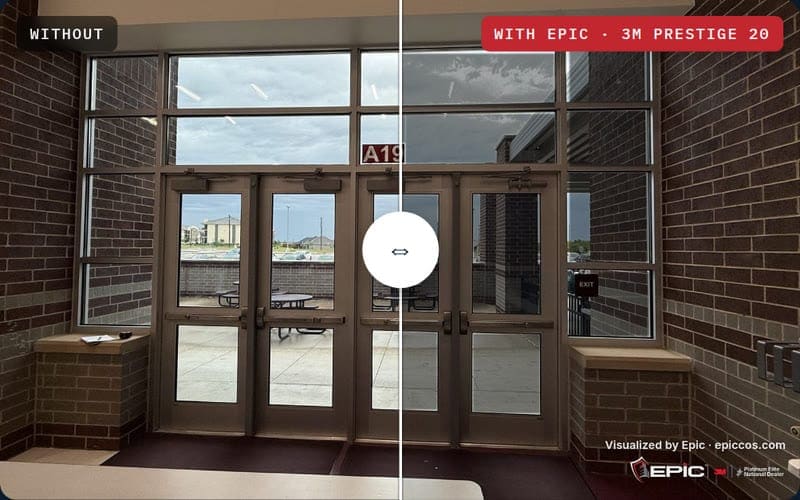
Every 3M series. Every shade. On real glass.
Pick a scene, a series and a shade, then drag the handle. Only the glass changes, and the bars show how much light and heat still come through. Numbers match the 3M family spec cards for that shade on clear glass. Homes are here too: pick the great room.
Non-metallic, multi-layer optical film: rejects up to 97% of infrared heat with low reflectivity and no signal interference. Five shades.
Drag the handle on the photo to compare.

Rendering is computed from the film’s published optical values applied only to the glass in each photo (clear-glass baseline: 88% VLT, 8% exterior reflectance). This is a simulation; actual appearance varies with glass type, sun angle and shade — we put real samples on your real glass before you decide.
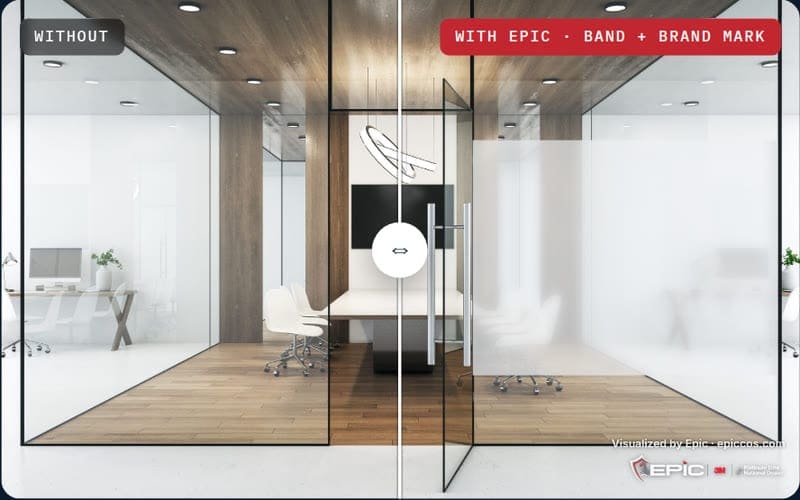
Frost, logos and building wraps, on real glass.
Pick a room, pick what goes on the glass, type your brand name and choose its color. A glass meeting room, school glass doors, conference rooms from the corridor and a whole building elevation with perforated graphics, every design drawn on the glass in true inches.
Drag the handle on the photo to compare.
White is the standard etched look; colored frost is printed translucent film.
Frost and graphics are rendered in perspective onto the glass in each scene, in true inches (an 18–78 in. privacy band, 2 in. markers). This is a simulation — patterns, colors and your brand name are placeholders for design — Epic’s designers and VisuFlare, our in-house print studio, produce the finished artwork and proofs on your actual elevations.
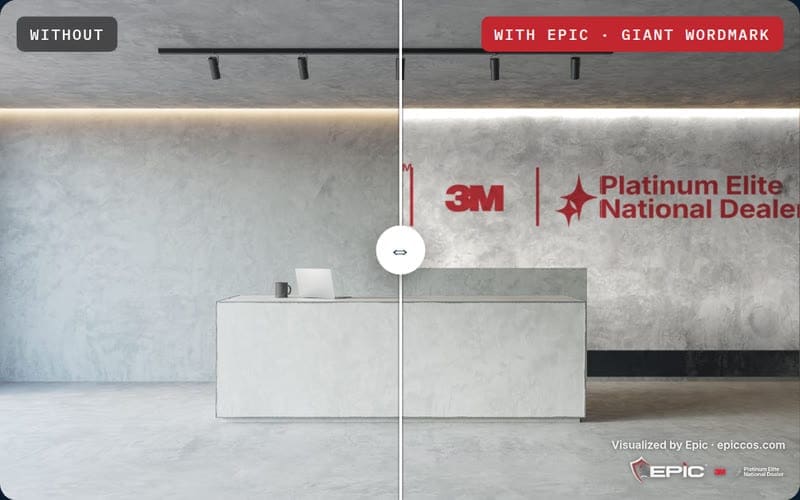
Printed wall coverings, on a blank wall.
A reception wall, a sunlit lobby wall, a meeting-room back wall and a hotel elevator lobby. Pick a design, type your name, pick your color. The covering is rendered in perspective on the wall and lit by the room’s own light.
Wall coverings are rendered in perspective onto the wall in each scene, in true inches, and lit by the room’s own light; doors, artwork and furniture stay as they are. This is a simulation — patterns, colors and your brand name are placeholders for design — Epic’s designers and VisuFlare, our in-house print studio, produce the finished artwork and proofs on your actual elevations.
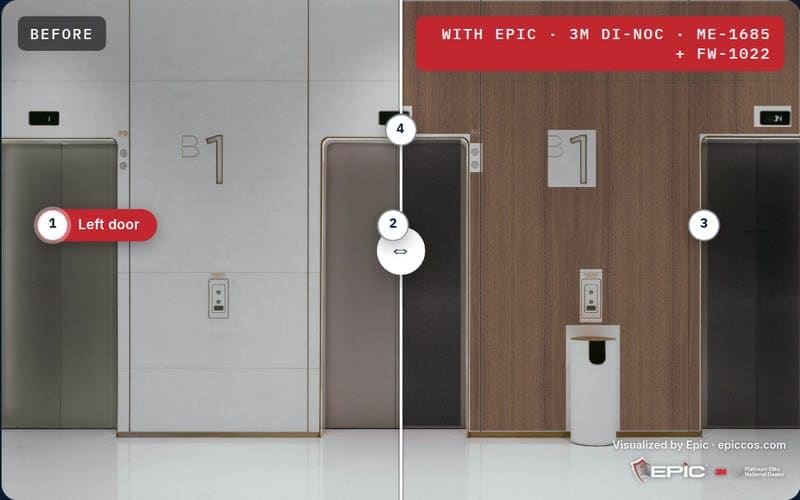
The entire 3M DI-NOC catalog, on your lobby.
Elevator lobbies, a reception desk and a cab, every surface its own decision. Pick a surface, then choose from all 916 DI-NOC patterns in 34 series: wood, metal, stone, solid color, textile, specialty. The actual 3M swatch is rendered in perspective and lit by the room’s own light. Search by pattern number; Quick Ship patterns are flagged.
Tap a numbered dot on the photo to pick a surface · drag the handle to compare.
This is a simulation. Patterns are the actual 3M DI-NOC swatches, rendered in perspective on the real surfaces in each photo and lit by the room’s own light. Screen color varies; Quick Ship marks patterns stocked for fast delivery, every other pattern ships from 3M. Epic brings the sample books and makes mockup panels on your actual wall before anything is ordered.
Want to see it on your glass?
Free assessment with film samples applied to your actual windows.
Ready to see what’s possible on your glass?
A free on-site assessment. Measurements, film recommendation, and a written estimate — no pressure, no obligation.
 Cookies on epiccos.com